
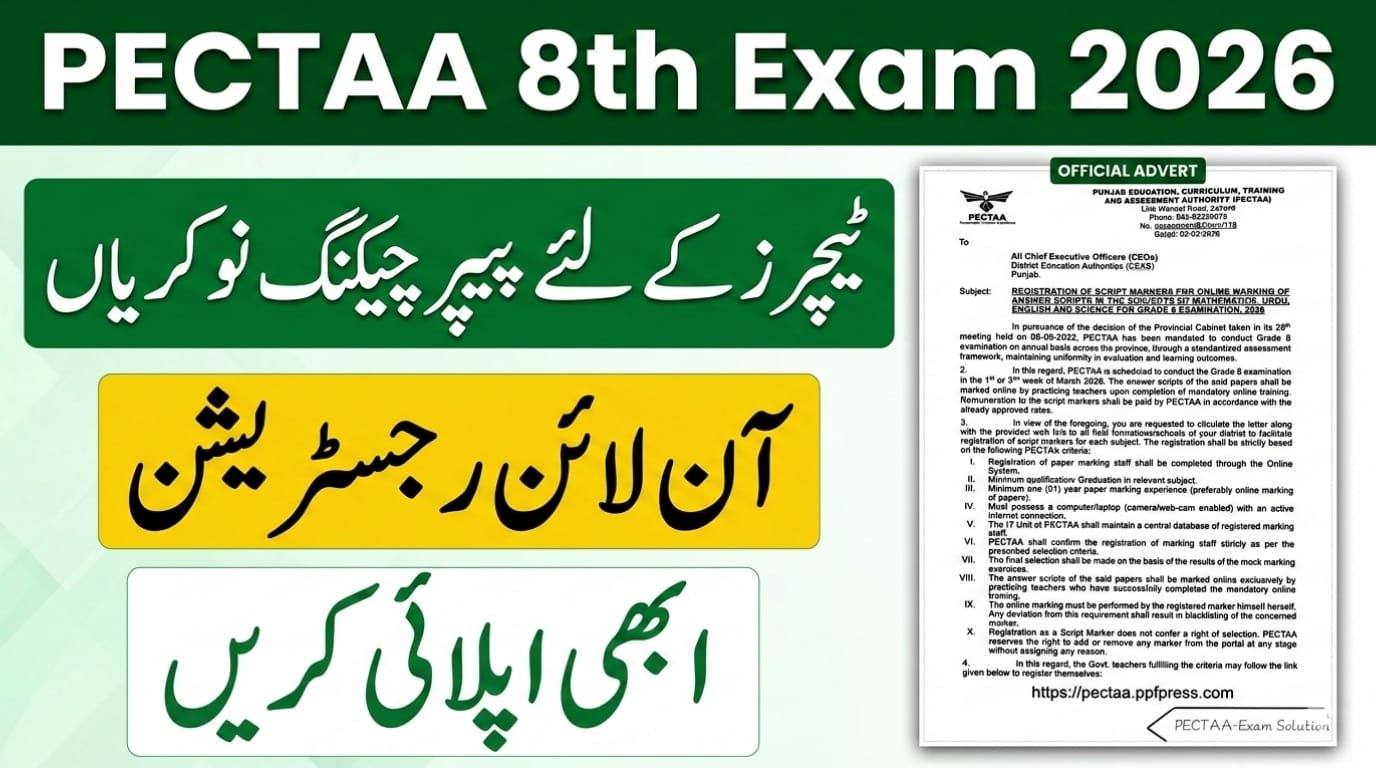
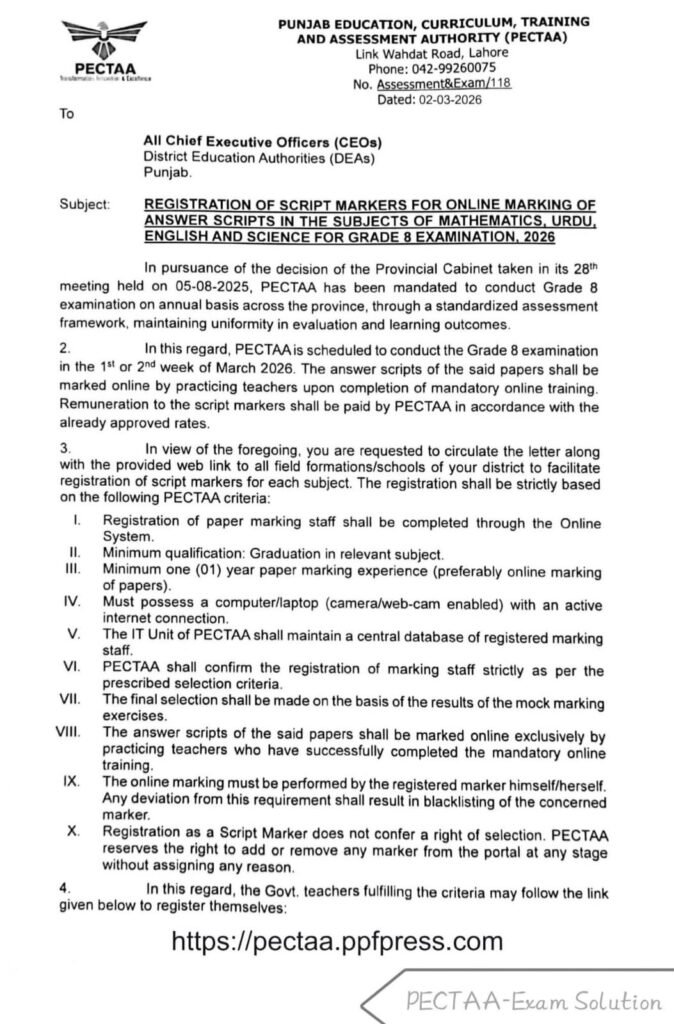
The Punjab Education, Curriculum, Training and Assessment Authority (PECTAA) has officially announced the registration of teachers for the online marking of Grade 8 examination scripts for 2026. This initiative allows eligible teachers to participate in grading exam papers from the convenience of their homes or offices.
This is a great opportunity for government teachers across Punjab to earn extra income by marking papers from home. PECTAA will pay all selected markers at officially approved government rates.
Subjects for Marking
Teachers can apply to mark papers for the following subjects:
- Mathematics
- Urdu
- English
- Science
Who Can Apply? (Eligibility Criteria)
To register as a script marker, teachers must meet these requirements:
| Criteria | Requirement |
|---|---|
| Education | Minimum Graduation in the relevant subject |
| Experience | At least 1 year of paper marking experience (online experience preferred) |
| Equipment | Computer or laptop with webcam and stable internet |
| Status | Must be a practicing teacher |
Important Rules
- Mandatory Training: Selected markers must complete online training before they can begin.
- Personal Responsibility: The registered marker must perform the marking themselves; outsourcing the work will lead to blacklisting.
- Selection Process: Final selection is based on the results of “mock marking exercises.” Registration does not guarantee selection.
Registration Details
- Deadline: While a specific closing date isn’t listed on the letter, the exams are scheduled for the 1st or 2nd week of March 2026, and result is expected in March 31,2026 so registration is likely urgent.
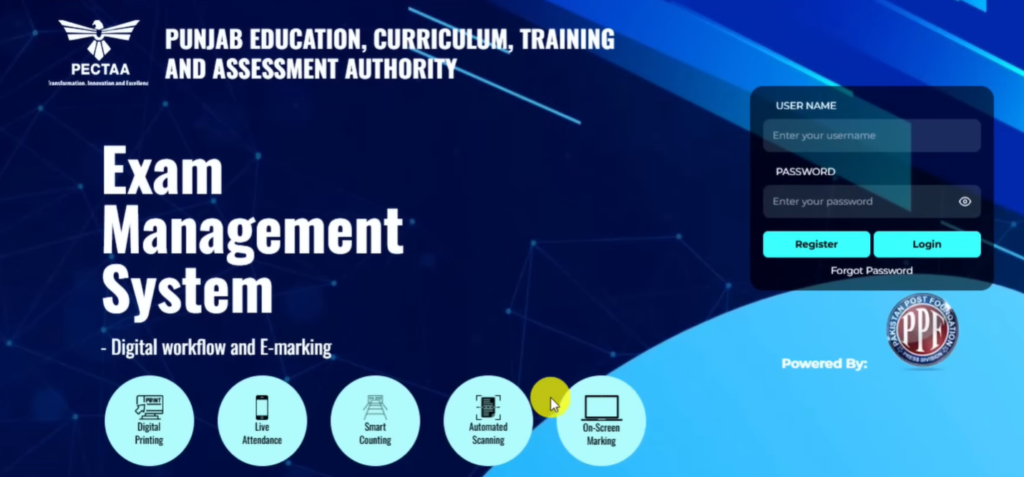
- How to Apply: Eligible government teachers can register at the official portal by clicking below Apply Button.
How to Apply (Step by Step)
- Open the registration portal by click above Apply button
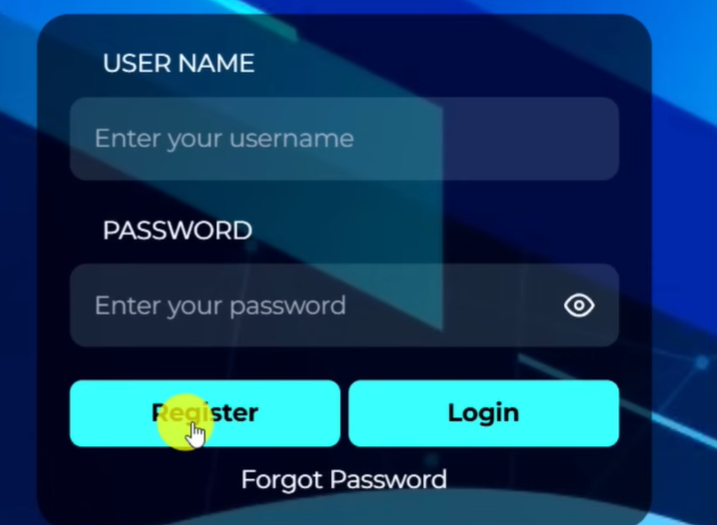
- Click on Register utton/
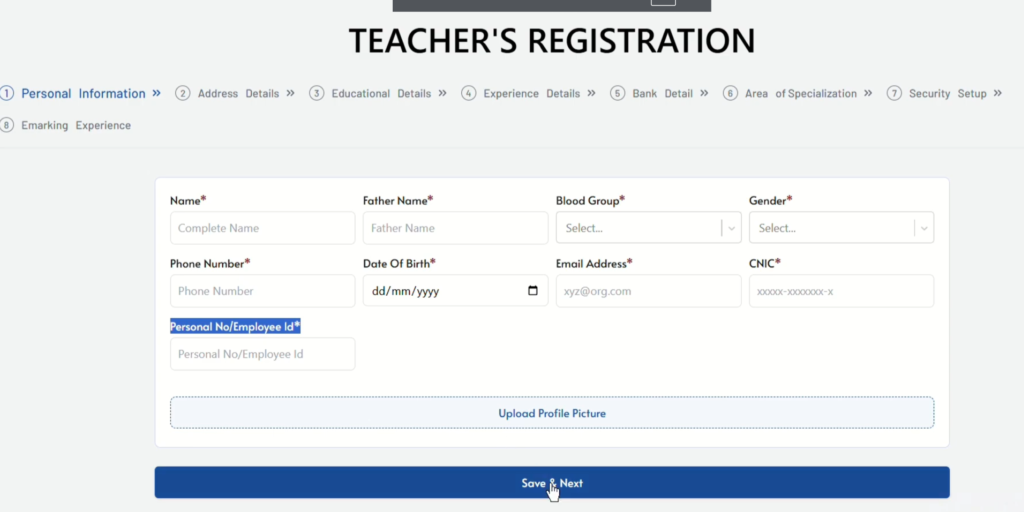
- You will be redirected to this pages, where you need to fill 8 steps
- Step 1 is Personal Detail. Add here your Name, Father Name, Blood Group, Gender. Phone Numbers. DOB, Email, ID Card Number, Your Employee id
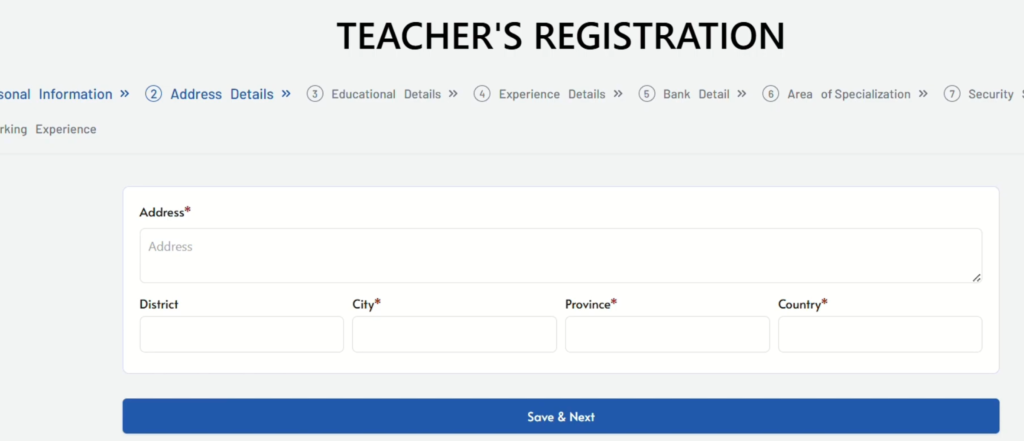
- Step 2: Add your Address, District, City, Province and Country.
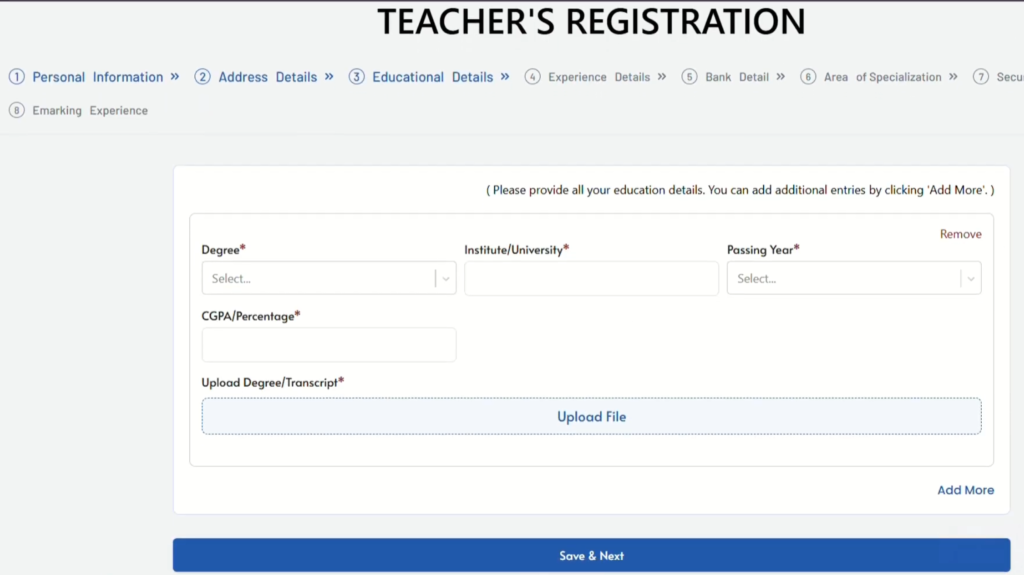
- Step3: Fill in your educational details. Select your Degree level such as BS, Masters or Phd/ Your educational Institute, Passing Year, CGPA or percentage. You also need to upload your degree or transcript here. You can see in bottom right an add more button, By clicking it you can add your all educational level degrees one by obe such first Masters then BS.
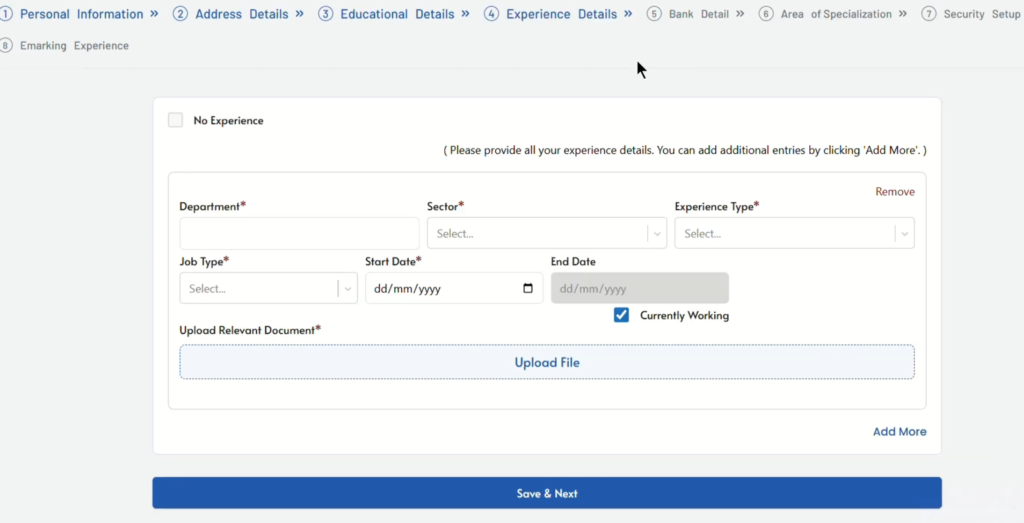
- Step 4: Add here your all experience detail till today. If you do not have experience simply check the no experience box in top left corner.
- Fill Your Department like Education. Sector (Governmentor Private) Write about your Experience type like professional or Teaching. Job Type: Contract or Regular
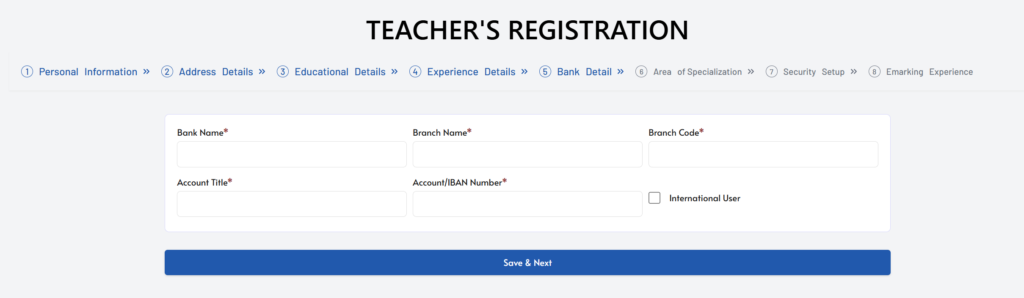
- Step 5: For Salary fro your Paper Chceking Provide your Bank Name. Bank Branch, Branch Code, Account Title. Account Number or IBAN. Leave theinetrnation user box uncheck and Click Save and Next.
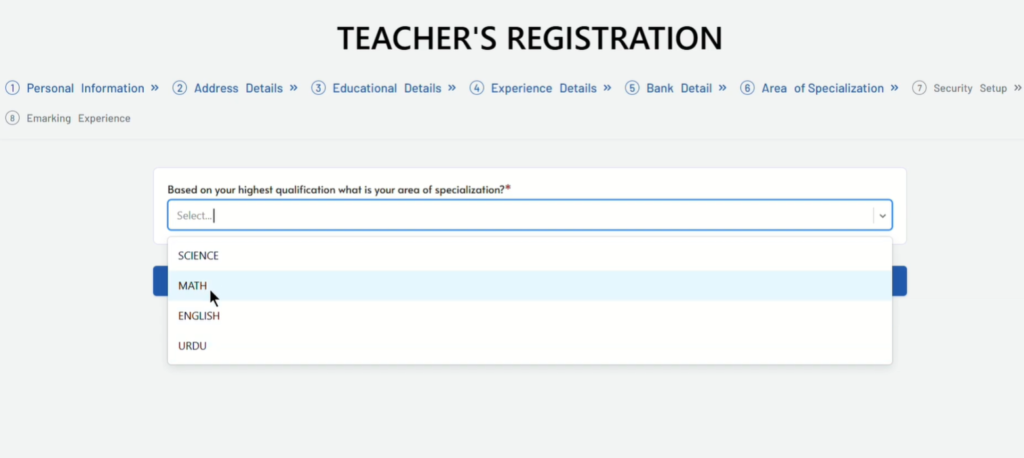
- Step 6: Choose your Area of Specialization out of 4 subjects ( Science, Math, English, Urdu)
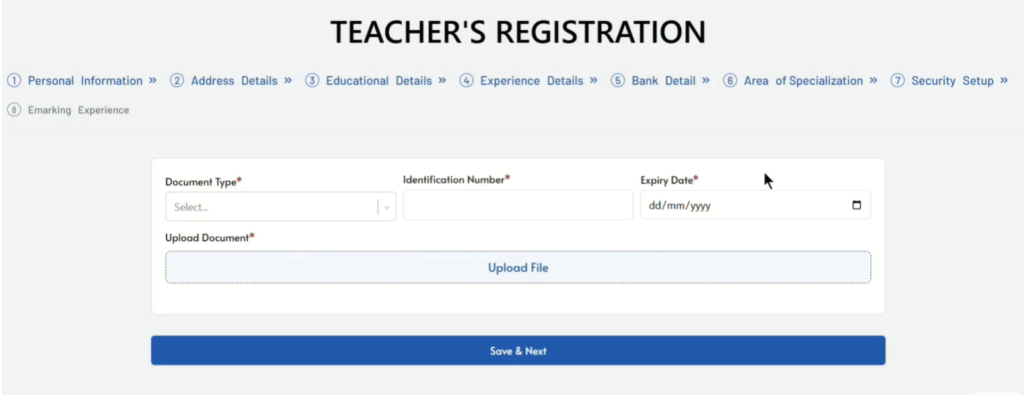
- Step 7: Here Provide your CNIC or Passport Detail and Upload th erelevnt copy as per document type you selected.
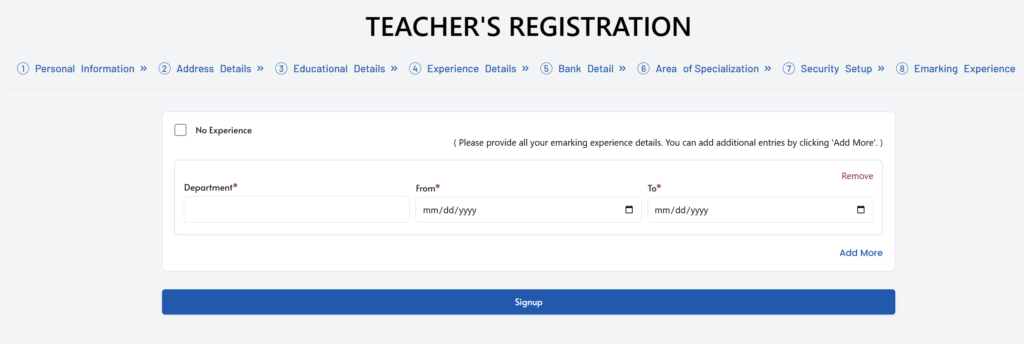
- Step 8: Fill your Emarking Experience. If you have never checked paper onlien simple Check the box of No Experience and Click Sign up
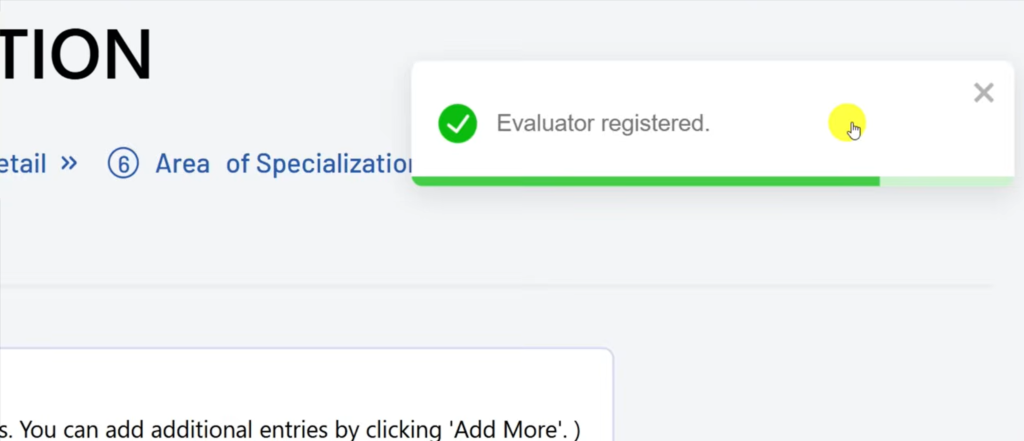
- Adpfter Clicking Sign up you will see Evaluator Registered on Screen.
Shortlisting:
After Shortlisting You will be informed about your selction via email or phone number. Keep checking your messages or email.
Summary
This program is an excellent opportunity for government teachers to contribute to the education system by marking exam papers online. It is flexible and allows teachers to work from home while ensuring accuracy and fairness in grading. Teachers are advised to apply as soon as possible to secure their registration and participate in the mock marking exercises.
One Response
Teacher registration