


Complete Guide to Apply Online for Public School Reorganization Program Phase III
The Public School Reorganization Program (PSRP) Phase III has officially started under the supervision of Maryam Nawaz Sharif. This program aims to improve the quality of education in government schools by handing over selected schools to educated and capable individuals or groups who can manage them better.
According to the latest update from Punjab Education Foundation, applications for Phase III will be accepted only online. Unlike previous phases, applicants do not need to submit hard copies of documents. Everything will be completed through the online system. I will explain to you step-by-step about teh application process in this article.
The last date to apply online is 7 April 2026.
Below is a simple step-by-step guide to help you apply.
Step-by-Step Method to Apply for PSRP Phase III
1. Open the Application Website
Cick on Below Button to go to official website of application
This will take you to the PSRP Phase III application portal.
2. Register Your Application
Click on:
“Click Here to Register Your Application”
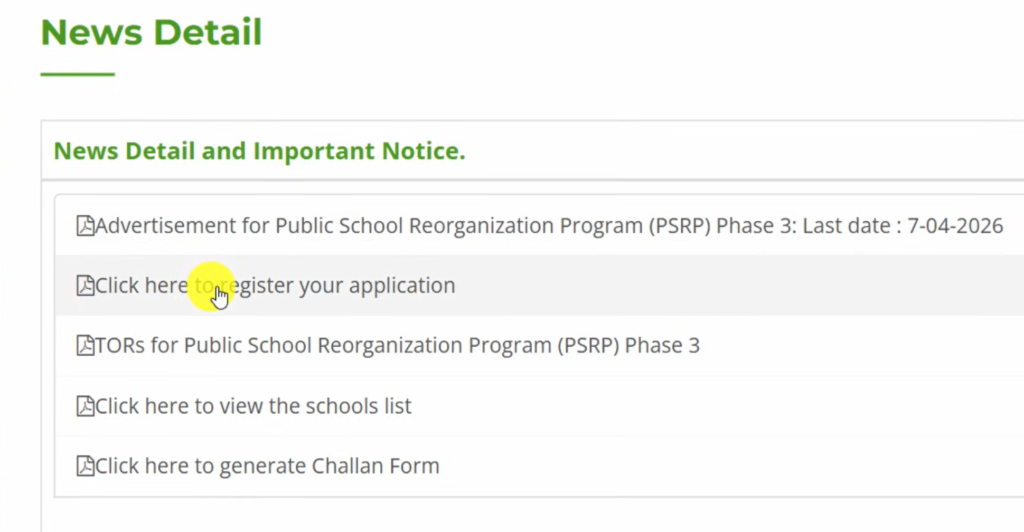
Since you are visiting for the first time, You will see below Portal

Click on Register New Account
You will then choose the category in which you want to apply.
3. Slect Your Application Category
There are three categories:
1. Young Entrepreneur Group
- A group of three people applies together.
- Only the group leader must have 3 years of experience.
- Merit is calculated based on the combined qualifications of all members.
2. Individual
- Only one person applies.
- The applicant must have 7 years of post-qualification experience.
3. Organization
- An organization or institution applies.
Most applicants prefer the Young Entrepreneur Group because the requirements are easier and three educated people manage the school together. In this article we will select Young Entrepreneur as category.
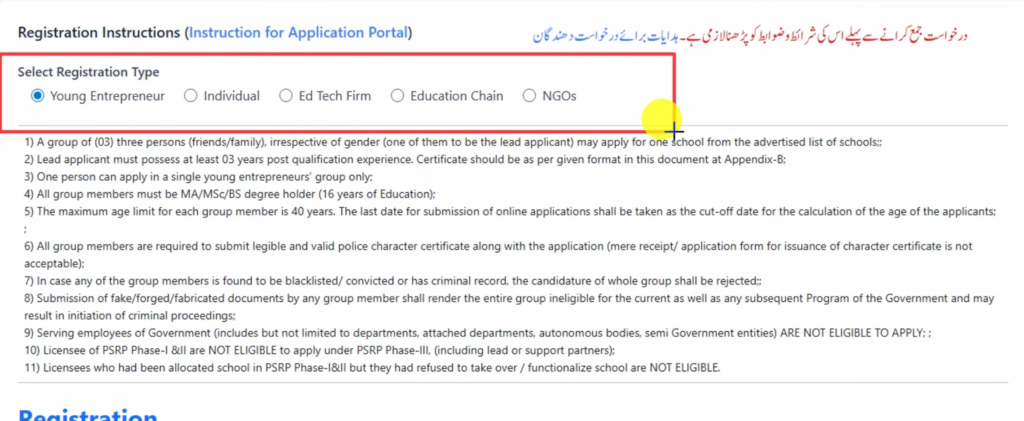
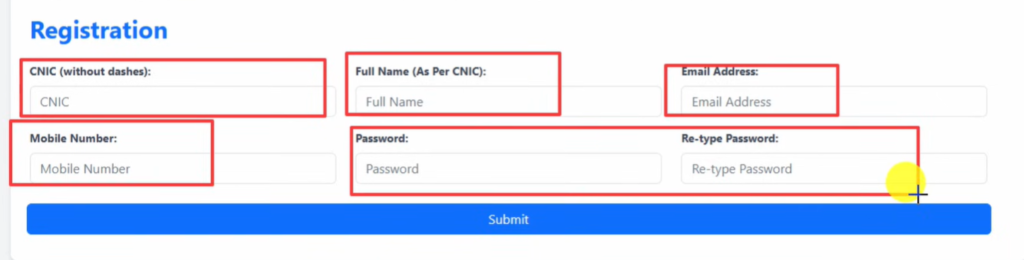
4. Fill the Registration Form
After selecting the category, fill in the following details:
- CNIC number
- Full name (as per CNIC)
- Email address
- Mobile number
- Password
After entering all details, click Submit.
Your account will be created successfully.
5. Login to Your Dashboard
Now log in using:
- CNIC number
- Password
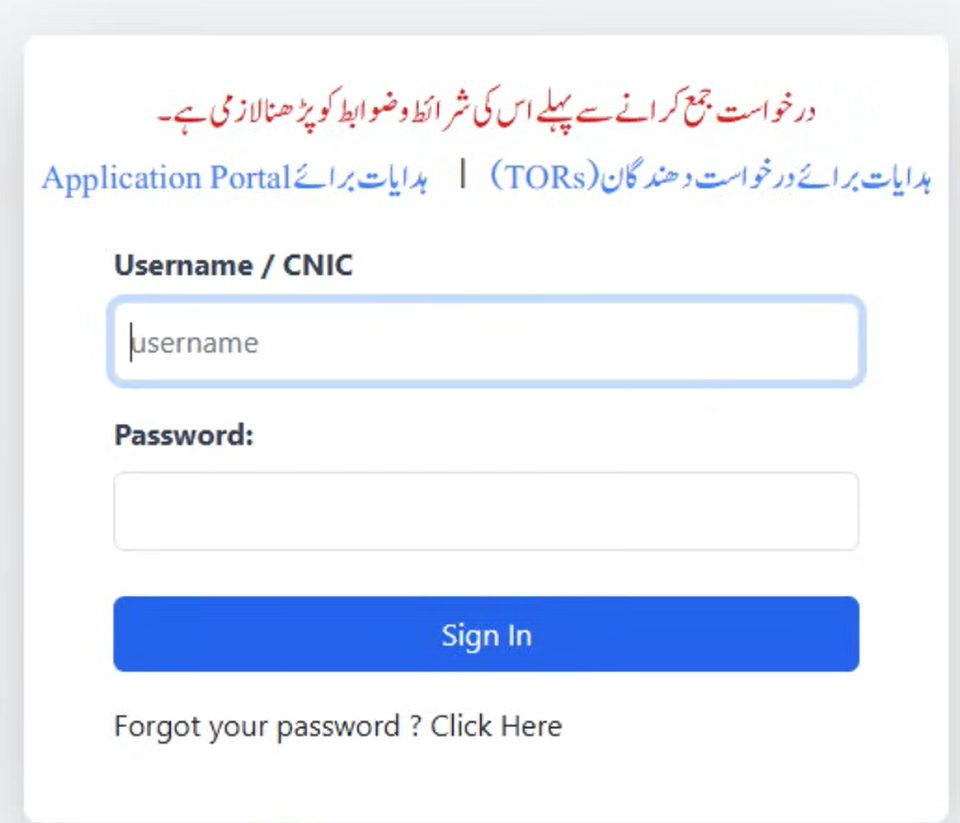
Once logged in, your application dashboard will open.
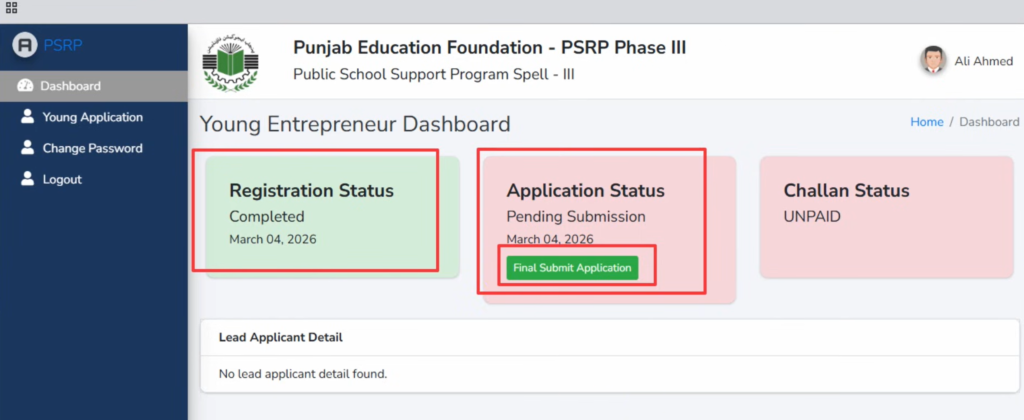
Click Final Submit Application to start filling the form.
6. Enter Personal Information
You will need to provide:
- Name
- Father or husband name
- Postal address
- District
- Domicile district
- Tehsil
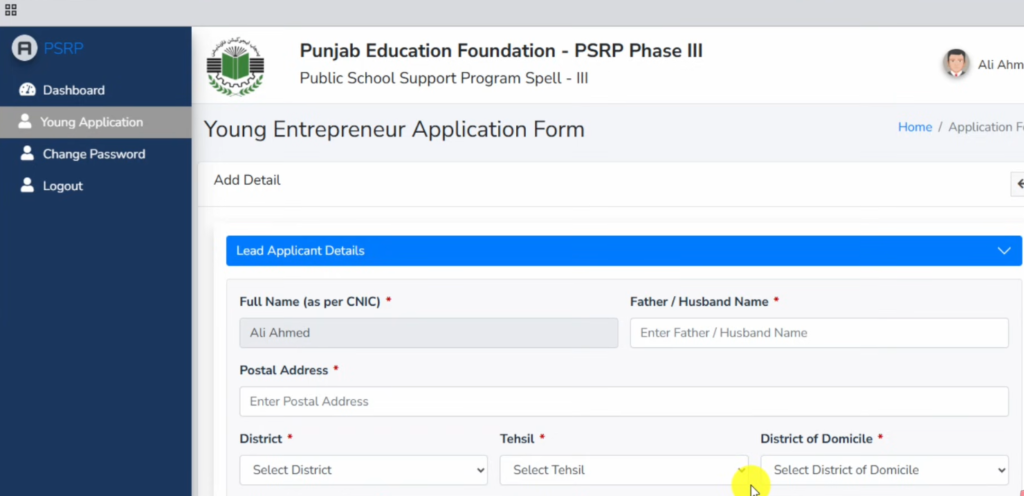
- CNIC
- Date of birth
- Gender
- Marital status
- Mobile (WhatsApp number)
- Telephone (Mobile)
- Telephoe (Work)
- Email address
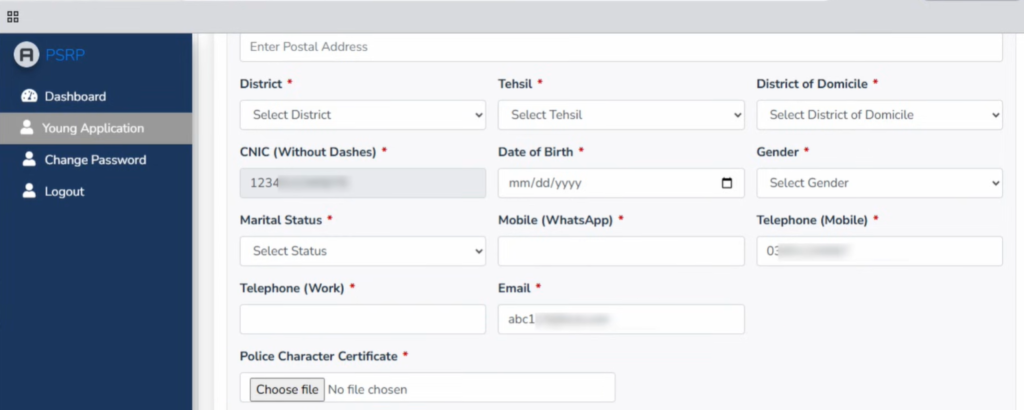
7. Upload Police Character Certificate
You must upload a Police Character Certificate.
You can get this certificate from the nearest e‑Khidmat Markaz.
Requirements usually include:
- Copy of CNIC
- Attested documents
- Application form
- Fee of around 500 PKR
The certificate usually takes 3–5 days to be issued.
If you are applying as a group, each member must submit their own character certificate.
8. Add Educational Qualifications
Next, the group leader’s qualifications must be added:
Examples:
- Matric
- Intermediate
- Bachelor’s Degree
- Master’s Degree
For each qualification you must enter:
- Institution name
- Study type (Regular or Private)
- Marks obtained
- Study duration
- Upload attested documents
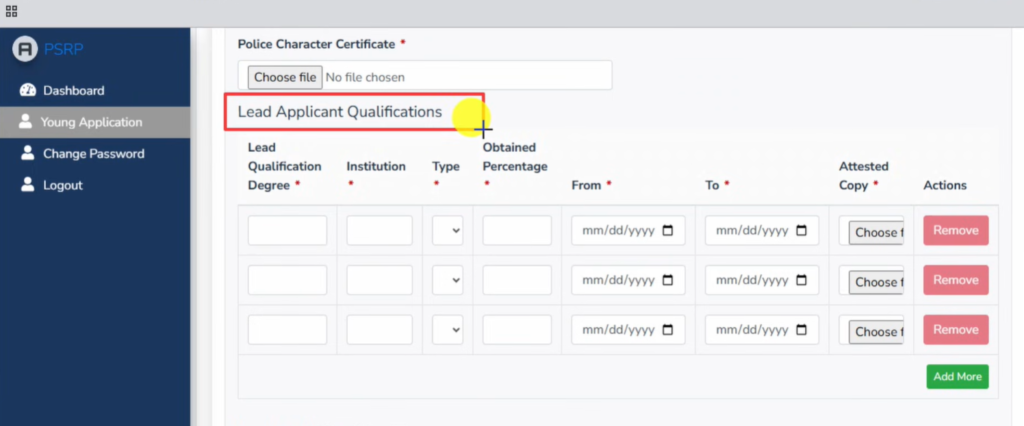
The group leader must also add 3 years of experience.
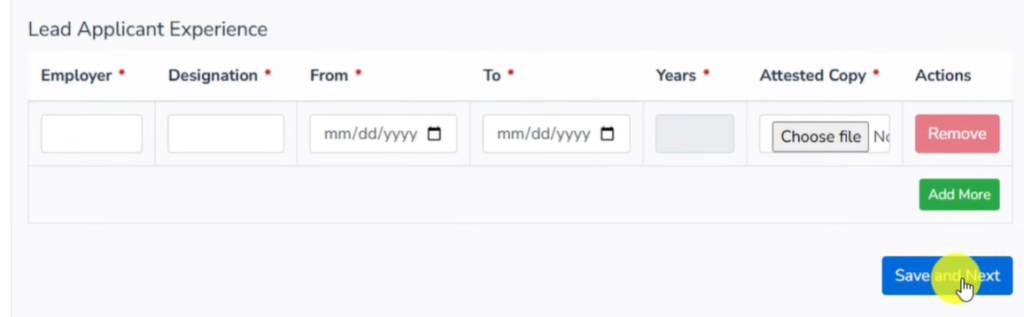
9. Add Supporting Members
After clicking Save & Next, You will see redirect toa page where you will add the details of the other two group members.
For each member:
- Personal details
- Educational qualifications
- Police character certificate
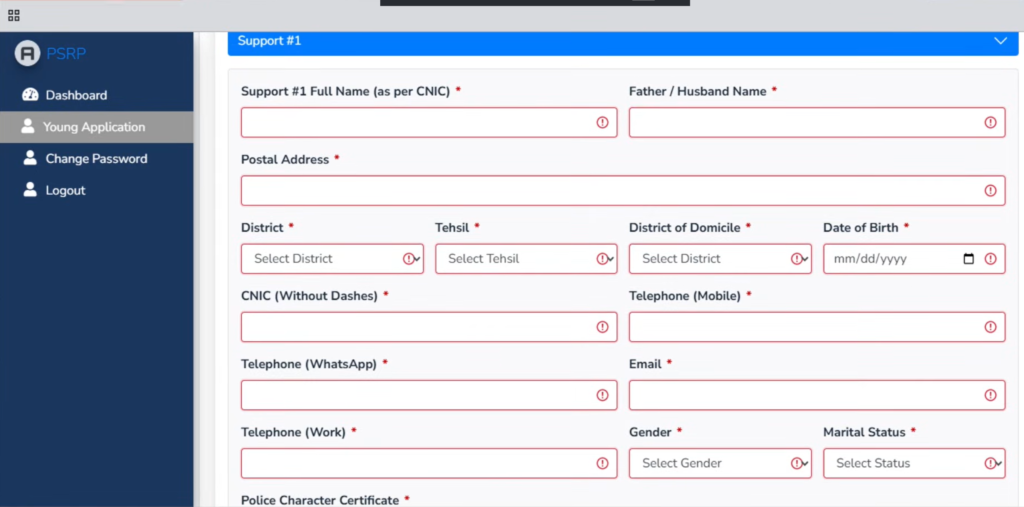
Add Qualification and Experienec of Supporter #1:
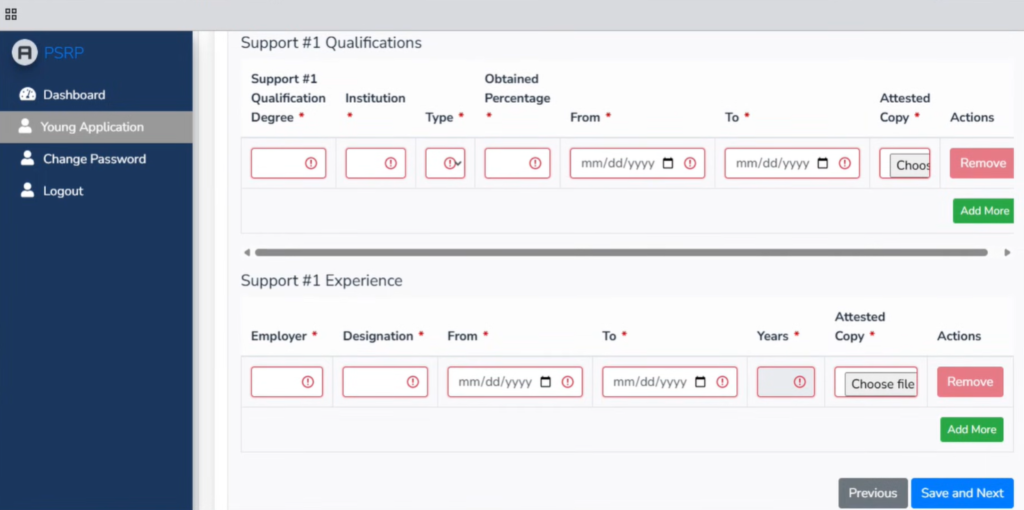
Similarly Fill all the details, Qualifications and Experience of Supporter#2 and Click Next & Save BUtton.
10. Select a School
Next you must choose the school where you want to apply.
Steps:
- Select your district
- Select your tehsil
- Choose a school from the list
Important rule:
You can apply for only one school in Phase III.
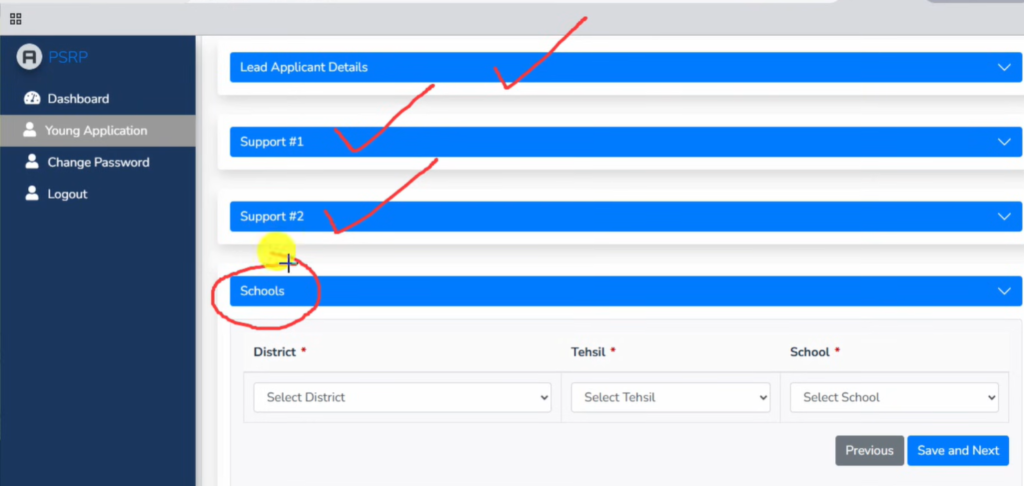
It is recommended to visit the school first to check conditions and competition before applying.
11. Declaration and Final Submission
After completing the form:
- Read the declaration statement.
- Confirm that all information is correct.
- Click Save & Preview.
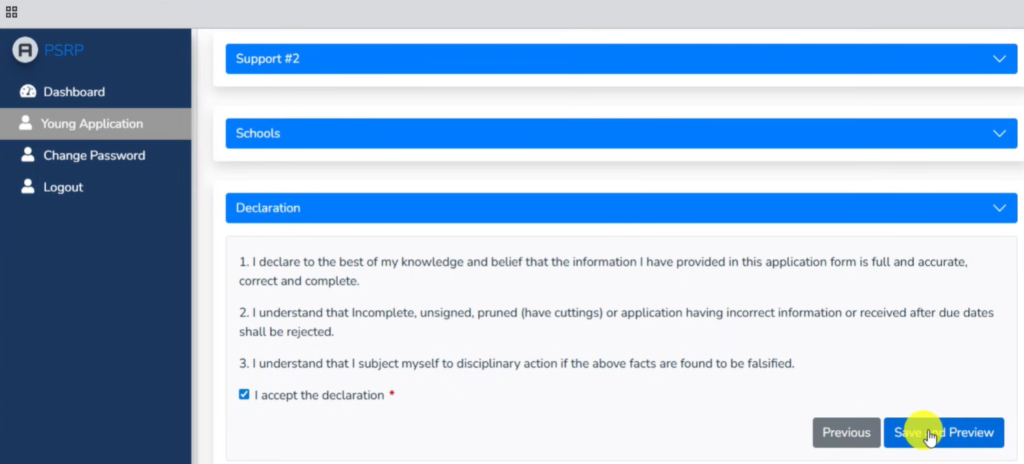
This will lead you to Draft of Your Application. Review your application carefully.
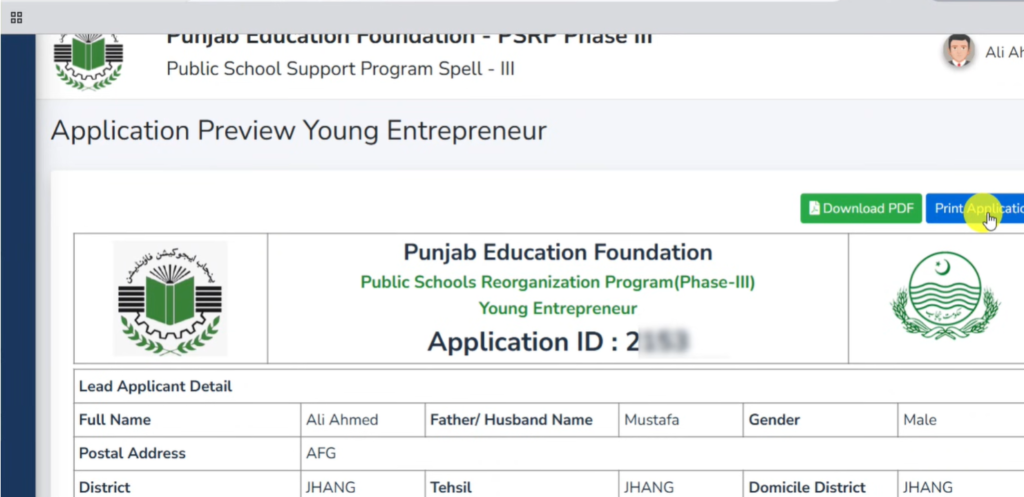
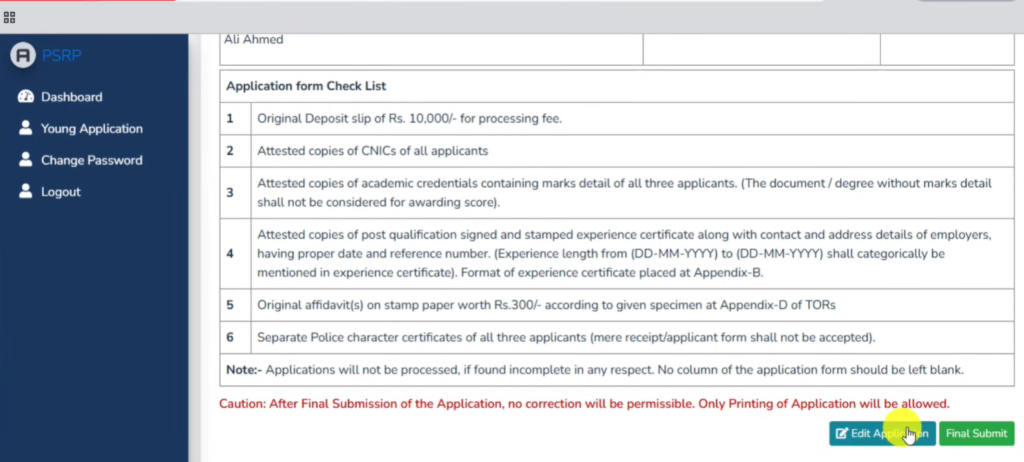
If everything is correct, click:
Final Submit
After submission, you cannot edit the application. Thats why, if You want to edit something, Click Edit Application Button
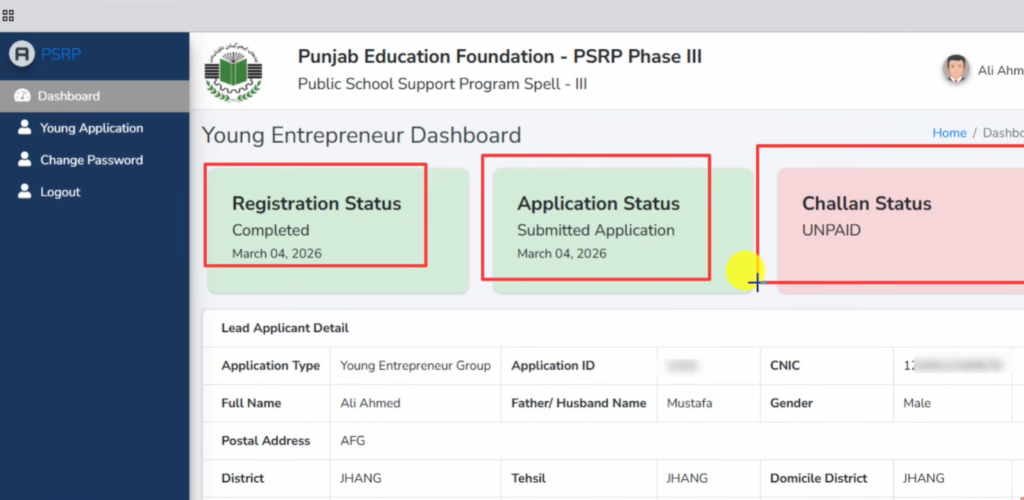
Application Status:
12. Generate the Challan Form
The final step is paying the application fee.
Click Below Button to Go to Portal To generate Challan
Click on Last Option “Click here to generate Challan Form”
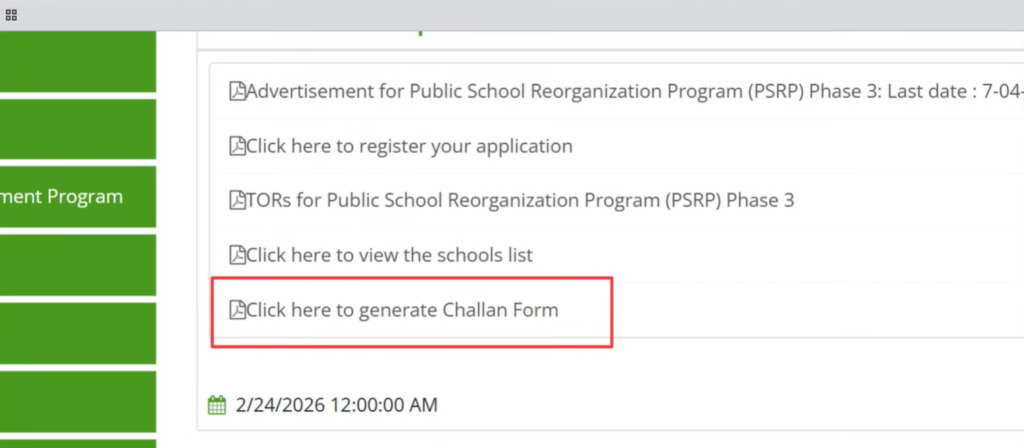
Generate Challan Form
Fill the required details:
- Program: PSRP Phase III
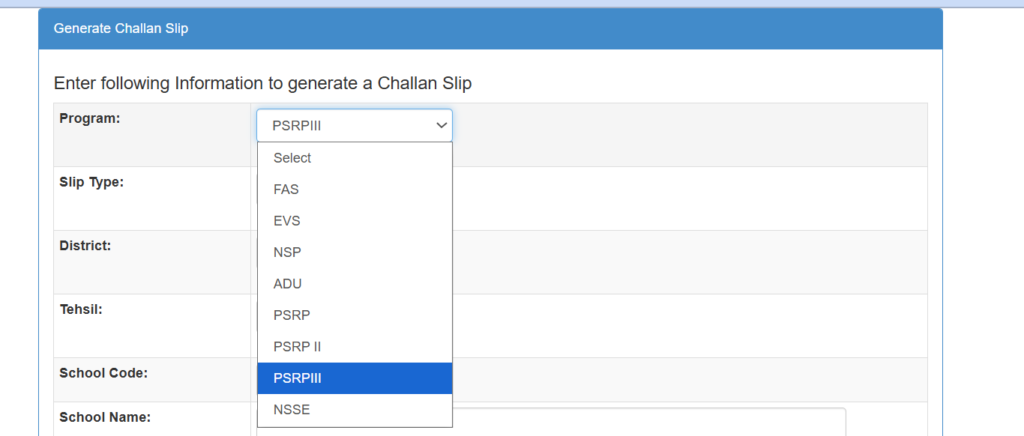
- Slip Type
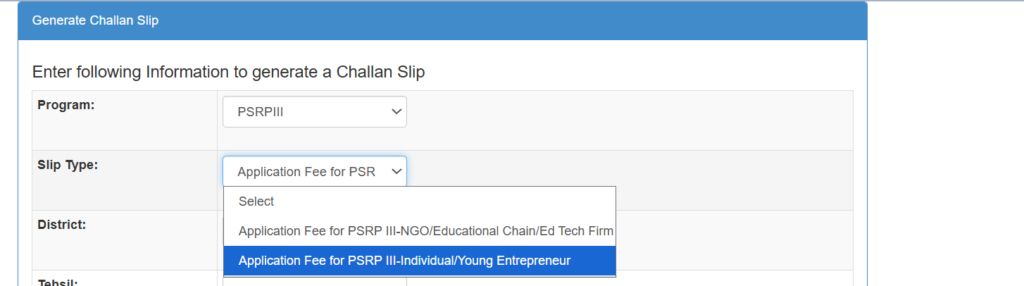
- District
- Tehsil
- School EMIS code
- Applicant name (Add Lead Applicant Name)
- CNIC (Add Lead Applicant CNIC)
- Mobile number (Add Lead Applicant Number)
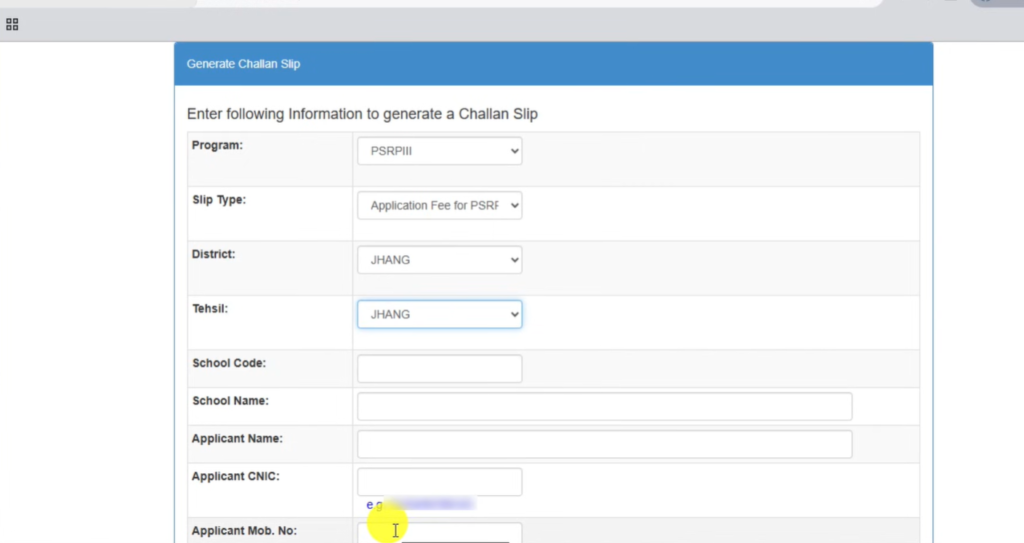
Add Security Code visible in box.
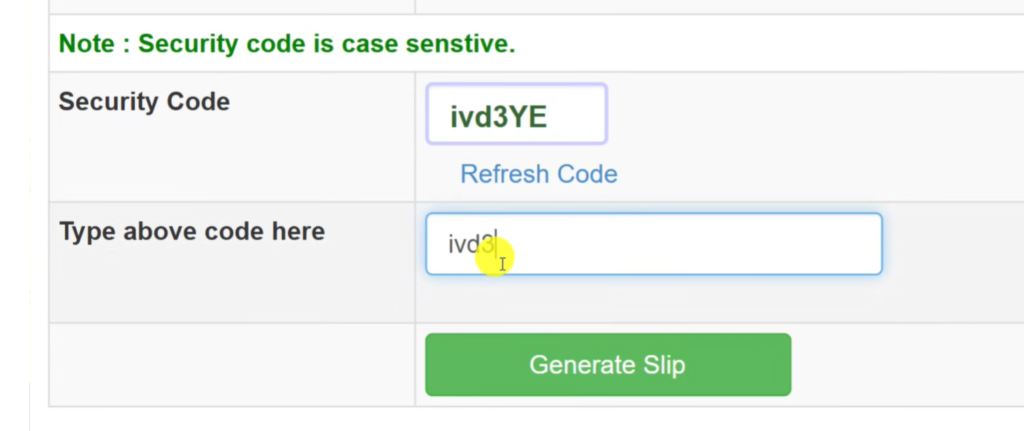
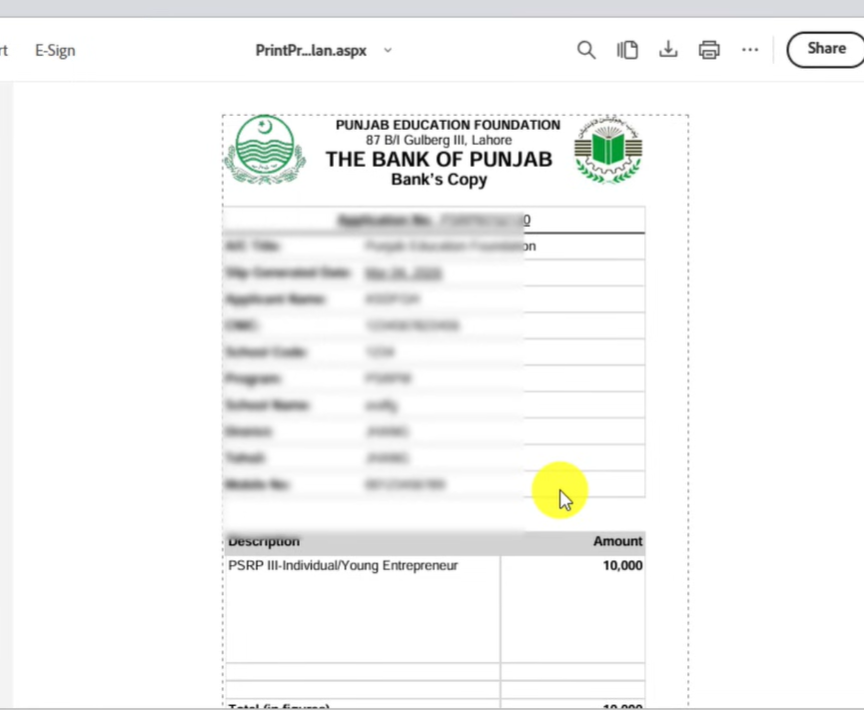
Then click Generate Slip. Below Challan will be Downloaded.
Take its Print and Deposit in Bank of Punjab.
13. Pay the Application Fee
The challan amount is:
10,000 PKR
Print the challan and pay the fee at:
Bank of Punjab
Once the payment is processed, your dashboard will automatically show payment of Challan as PAID.
When all steps are completed:
- Registration status → Completed
- Application status → Submitted
- Challan status → Paid
This means you have successfully applied for PSRP Phase III.
✅ Important Tip:
Always visit the school before applying to understand the environment and competition.
One Response
How i apply for school
Am BS psychology students and i have 4 year 9f teaching experience in TCF and PEF schools
Give me details